
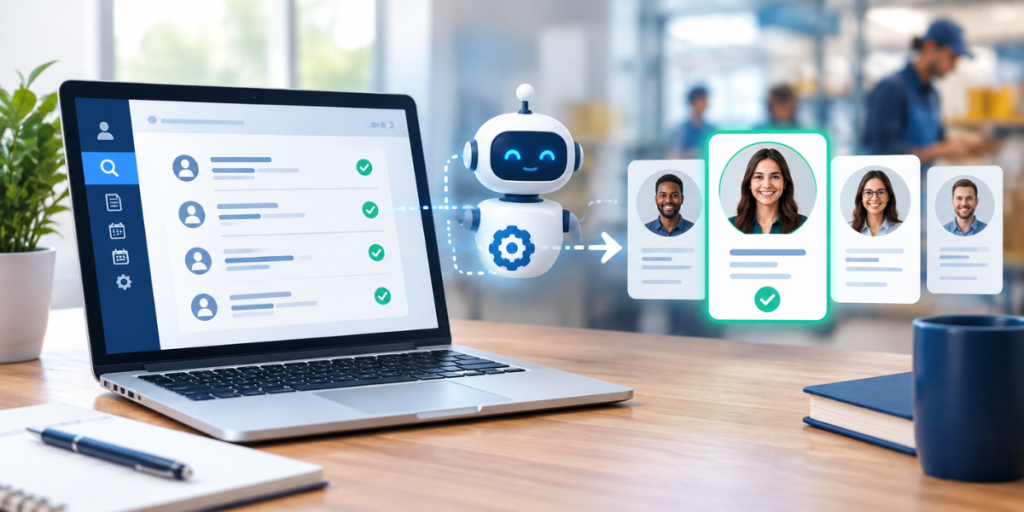
Hiring automation is how employers in high-turnover industries keep up when hiring never stops. Home care agencies, delivery service providers, staffing firms, restaurants and warehouses often hire every week, and the same tasks repeat each time: calling new applicants, asking the same screening questions, booking interviews, chasing no-shows. When one manager handles all of that on top of their regular job, good candidates slip away. This beginner's guide explains what hiring automation is, which parts of hiring it can handle, how it differs from related terms, how to get started, and where people still need to stay involved.
What Is Hiring Automation?
Hiring automation is the use of software to handle repetitive hiring tasks without manual effort. Common examples include texting new applicants, asking screening questions, booking interviews, sending reminders and tracking candidates through each stage. The goal is to move qualified candidates forward quickly while managers focus on interviews and hiring decisions.
A simple example shows how it works. Without automation, a caregiver applies on Friday night. Nobody sees the application until Monday. A manager calls, leaves a voicemail, and the candidate calls back Wednesday. The interview gets booked for the following week. By then, the caregiver has taken another job.
With hiring automation, the same caregiver gets a text within minutes. They answer a few questions about certification and availability, pick an interview time for Tuesday, and get reminders before it. The manager's first contact is the interview itself.
Nothing about the hiring decision changed. What changed is the time between steps, and in high-turnover hiring, that time usually decides who gets the candidate.
Why Do High-Turnover Industries Need Hiring Automation?
High-turnover industries need hiring automation because they hire constantly, candidates move quickly between employers, and the people doing the hiring usually have other jobs. Automation keeps first contact, screening and scheduling running around the clock, so fewer applicants are lost while managers are busy with daily operations.
The volume is hard to manage by hand. The U.S. Bureau of Labor Statistics projects about 760,500 openings each year for home health and personal care aides from 2025 to 2035, and about 152,700 a year for delivery truck drivers and driver/sales workers. In both cases, the BLS notes that most openings come from replacing workers who leave, not from new jobs. That's what high turnover looks like at a national scale.
Candidates also have plenty of options. The BLS JOLTS report released September 1, 2026 counted 7.3 million job openings and 3.1 million quits in July 2026. An hourly worker who doesn't hear back quickly usually has somewhere else to go.
Timing and cost add to the pressure. SHRM's 2025 recruiting benchmarking, based on more than 2,300 members, put median time-to-fill at roughly a month and a half across roles. Appcast's 2026 Recruitment Marketing Benchmark Report, as covered by HR Dive in February 2026, found that cost-per-application and cost-per-hire rose sharply in 2025. When each applicant costs more to attract and takes longer to hire, losing them to slow follow-up costs more too.

What Parts of Hiring Can Be Automated?
Most repetitive, rule-based hiring tasks can be automated, including job posting, first contact, screening questions, interview scheduling, reminders, status updates and re-engaging past applicants. Tasks that need judgment, such as interviews, final hiring decisions and reviewing background check results, should stay with people. A good rule is to automate logistics and keep decisions human.
Here's how each stage breaks down:
| Hiring stage | Manual approach | Automated approach | What stays human |
| Job posting | Posting to one board at a time | Publishing to several boards and tracking each source | Writing a clear, honest job ad |
| First contact | Calling when someone has time | Instant text or email within minutes | Answering unusual questions |
| Screening | Phone calls for basic eligibility | Knockout questions during the application | Setting fair, job-related criteria |
| Interview scheduling | Phone tag and a separate calendar | Candidates self-book open slots | Conducting the interview |
| Reminders | Manual calls, often skipped | Automatic reminders before each interview | Following up personally when needed |
| Background checks | Paper forms and manual tracking | Electronic consent and status tracking | Reviewing results and deciding |
| Onboarding | Paperwork handed out on day one | Forms and instructions sent after the offer | Welcoming and training new hires |
| Past applicants | Archived and forgotten | Re-engagement campaigns for new openings | Deciding who to prioritize |
| Reporting | Built by hand each month | Live dashboards for time-to-hire and show rate | Acting on what the numbers show |
Most employers don't need to automate every row at once. The first four rows usually recover the most hires because that's where candidates drop off fastest.
Two of these deserve special attention in hourly hiring. Instant outreach through text-to-apply keeps candidates engaged during the first few hours, and automated interview scheduling with reminders is one of the most reliable ways to cut no-shows.
How Is Hiring Automation Different From Recruiting Automation and an ATS?
Hiring automation is the broad term for automating any part of the hiring process, from job posting to onboarding. Recruiting automation usually refers to the candidate-facing front end: outreach, screening and scheduling. An applicant tracking system (ATS) mainly stores applications and tracks status. Many platforms combine all three, but they solve different problems.
The terms get used interchangeably, which confuses a lot of buyers. Here's a simple way to think about them:
- Recruiting automation focuses on attracting and engaging candidates quickly: texts, screening questions, self-scheduling and reminders.
- Hiring automation covers that plus the later stages: background check tracking, offer letters, onboarding paperwork and reporting.
- An applicant tracking system is the record-keeping layer. It shows who applied and where they are, but on its own it rarely takes action.
When you evaluate automated recruiting software, ask which of these layers it actually covers. Some tools are excellent at outreach but stop at the interview. Others are strong ATS platforms with only light automation. For high-turnover hiring, you usually want strong front-end automation first, with tracking and reporting built in.
How Do You Get Started With Hiring Automation?
Start with hiring automation by measuring your current hiring numbers, automating first contact, adding screening questions, turning on self-scheduling and reminders, then expanding into background checks, onboarding and reporting. Beginning with the front end usually delivers the fastest results, because that's where most candidates are lost.
A practical beginner's plan:
- Measure your baseline. For at least a month, track how long first contact takes, how many applicants reach an interview, your interview show rate and your time-to-hire. Without a baseline, you can't tell whether automation is working.
- Automate first contact. Every new applicant should get a text within minutes that confirms the application and gives them a clear next step.
- Add screening questions. Turn your real job requirements into short knockout questions, such as license, certification, availability, service area and background check consent. Keep them fair and job-related.
- Turn on self-scheduling and reminders. Let qualified candidates book their own interviews, and send reminders the day before and the morning of.
- Expand into later stages. Once the front end runs smoothly, automate background check tracking, onboarding forms and reporting.
Industry changes the details, but not the order. A home care agency might add screening for CNA or HHA certification and travel radius. A DSP might focus on license status and fast tracking of drug tests and background checks before peak season. You can see how this looks for delivery teams on our DSP recruiting page, or for agencies on our home care recruiting page.
What Are the Limits and Risks of Hiring Automation?
Hiring automation has limits. It can't fix low pay, vague job ads or poor onboarding, and badly designed rules can screen out good candidates or create compliance risk. The main safeguards are to automate a sound process, keep screening criteria job-related, review results regularly and keep trained people responsible for every hiring decision.
Automating a broken process. If your job ads are unclear or your pay trails nearby employers, automation just delivers rejections faster. Fix the basics first.
Over-filtering. Strict rules, like requiring experience when you offer paid training, shrink your applicant pool without improving quality. Screen only for real requirements.
Compliance. Background checks ordered through a consumer reporting agency fall under the federal Fair Credit Reporting Act, which requires disclosure, authorization and specific notice steps before rejecting a candidate based on a report. Many states and cities also restrict when employers can ask about criminal history. Keep those decisions with trained people, and review your process with an employment attorney.
Losing the human touch. Candidates appreciate fast replies, but they still want to talk to a real person. Use the time automation saves for better interviews, clearer onboarding and first-week check-ins, which matter most for retention.
Wyred Insights' Digital Recruiter and hiring platform are built around these principles: qualifying landing pages, automated SMS and email outreach, interview self-scheduling with reminders, remarketing to past applicants and real-time dashboards, with managers staying in charge of interviews and decisions.