

Sales pipeline management software only helps if the stages inside it match how your customers actually buy. Many service businesses copy a generic B2B template, end up with stages like “discovery” and “negotiation” that nobody understands, and stop updating the board within a month. For home care agencies, home service companies and other local providers, the pipeline needs to reflect phone calls, assessments, quotes and start dates. This guide explains what pipeline software does, which stages a service business should track, the automation and metric that belong at each stage, and the mistakes that make a pipeline useless.
What Is Sales Pipeline Management Software?
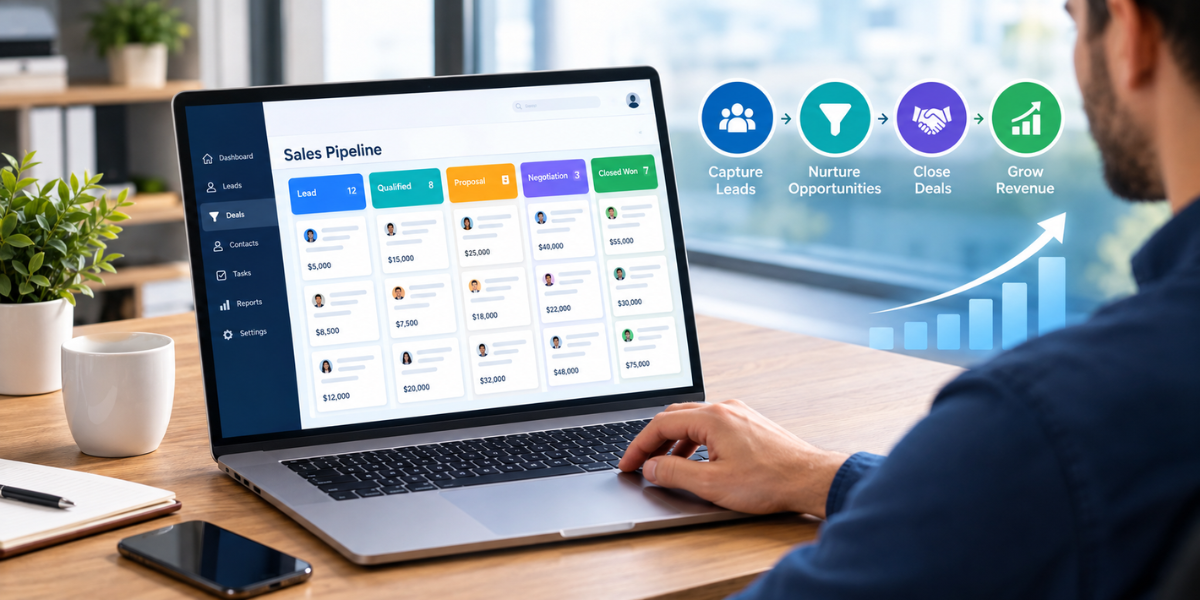
Sales pipeline management software shows every open opportunity as a card moving through defined stages, from first inquiry to signed client. It assigns an owner to each deal, triggers follow-up tasks and messages when a lead stalls, and reports conversion rates between stages so you can see exactly where prospects drop out.
Service businesses use it differently from enterprise sales teams. Sales cycles are shorter, volume is higher, and the buyer is often a homeowner or a family member making a decision under some pressure. Deals usually start with a phone call or a form fill, not a scheduled demo. That means the pipeline has to move fast and stay simple enough that coordinators update it during a busy day.
The payoff from defining a process is well documented. Research by Jason Jordan and Robert Kelly, published in Harvard Business Review in 2015, surveyed 62 B2B companies and found an 18% difference in revenue growth between companies that had defined a formal sales process and those that hadn’t. Their sample leaned toward large B2B firms, so treat the number as directional for a local service business. The principle carries over: stages only help when everyone agrees what each one means.
Which Sales Pipeline Stages Should a Service Business Track?
Most service businesses need six to eight stages: new inquiry, contacted, qualified, consultation scheduled, consultation completed, proposal sent, won and lost. Each stage should have a clear exit rule, an owner and an automated next step. Fewer stages hide where leads stall; many more create busywork nobody updates.
| Stage | Moves forward when | What to automate | Metric to watch |
| New inquiry | A lead arrives by form, call, text or ad | Instant text or email confirmation; assign an owner | Response time |
| Contacted | A two-way conversation happens | Multi-day call, text and email sequence if no reply | Contact rate |
| Qualified | Need, location, timing and payment source are confirmed | Qualification form or scripted questions | Qualification rate |
| Consultation scheduled | A date and time are booked | Self-booking link; reminders the day before and day of | Booking rate |
| Consultation completed | The assessment or estimate visit happens | Automatic reschedule text after a no-show | Show rate |
| Proposal sent | A quote or care plan is delivered | Follow-up messages a few days apart | Proposal-to-win rate |
| Won | Agreement signed and start date set | Welcome message; handoff task to operations | Win rate, time to close |
| Lost | Prospect declines or goes silent | Required loss reason; move to a nurture sequence | Loss reasons by stage |
The exit rule is what makes each stage useful. For a home care agency, “qualified” might mean the family needs non-medical care, lives in your service area and has a payment source such as private pay or long-term care insurance. For a contractor, it might mean the project fits your scope and the homeowner wants work done within the next 90 days. Write the rule down so every coordinator moves cards the same way.
How Does Lead Tracking Software Feed the Pipeline?
Lead tracking software captures every inquiry from forms, calls, texts and ads, records its source, and creates a pipeline card automatically. Without it, the first stage of the pipeline depends on someone remembering to enter leads by hand, which is where phone and after-hours inquiries usually disappear.
The first stage is also where timing matters most. In a 2011 Harvard Business Review study of 1.25 million leads, firms that reached out within an hour were nearly seven times as likely to qualify a lead as firms that waited one more hour. That’s why speed to lead belongs on your dashboard as a pipeline metric, not just a sales habit.
Good lead tracking software also attaches the source to every card: which Google Ads campaign, which referral partner, which landing page. When a deal reaches “won,” you can trace it back to the channel that produced it and calculate cost per client by source. Without that link, the pipeline tells you how many deals you closed but not which marketing paid for them.
What Mistakes Make a Sales Pipeline Useless?
The most common mistakes are vague stage definitions, no owner for each lead, stages updated by hand days late, no lost-reason tracking, and treating the pipeline as a report instead of a daily work queue. Any one of these makes conversion data unreliable, so decisions get made on guesswork.
Manual updating is the quiet killer. Salesforce’s sixth State of Sales report found that sellers spend 70% of their time on non-selling tasks. In a small service business, the same person often handles intake, scheduling and follow-up, so every manual click competes with a phone call. Sales pipeline management software should move cards automatically wherever an action proves the stage changed, such as a booking or a signed agreement.
Time spent reviewing the pipeline also matters. In the same Jordan and Kelly research, companies that spent at least three hours a month managing each rep’s pipeline saw 11% greater revenue growth than those that spent less. A short weekly review of stalled cards is usually enough for a small team.
Finally, don’t treat “lost” as the end. A family that wasn’t ready in March may need care in June. Tag the loss reason, then move the contact into a nurture campaign so you stay in touch without manual effort.
What Should You Look for in Sales Pipeline Management Software?
Look for drag-and-drop pipelines you can customize, automatic lead capture with source tracking, stage-based automation for texts, emails and tasks, self-scheduling with reminders, a full activity timeline per contact and reports on conversion by stage. If you also hire at volume, support for multiple pipelines matters.
Stage-based automation is the feature that separates a pipeline tool from a digital whiteboard. Moving a card to “consultation scheduled” should send the confirmation and reminders on its own. Moving it to “proposal sent” should start the follow-up sequence. If staff still have to remember those steps, the software isn’t doing its job.
Multiple pipelines matter for businesses that sell and hire at the same time. A home care agency runs a client pipeline and a caregiver recruiting pipeline, and both benefit from the same stage discipline. The Wyred Insights platform was built around that need, using visual drag-and-drop pipelines for client prospecting and recruiting, with automated outreach, scheduling reminders and business intelligence reporting tied to each stage.
Before committing to any tool, run it for 30 days with real leads. The test isn’t whether the demo looks good. It’s whether your team actually keeps the board current without being chased.